
Hulu: Stream TV shows & movies
DisneyEntertainment
4.5231.83K Reviews
- Version
- 6.34.0+18552420-google
- Installs
- 100.00M
- Age Rating
- Teen
Screenshots
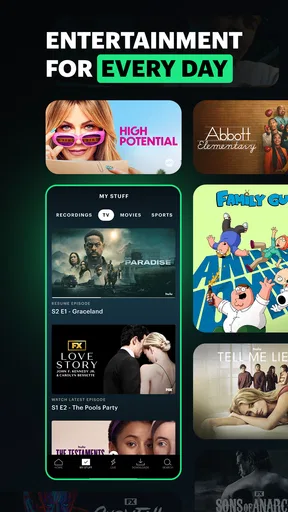
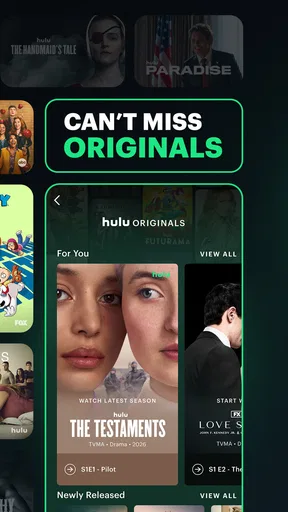
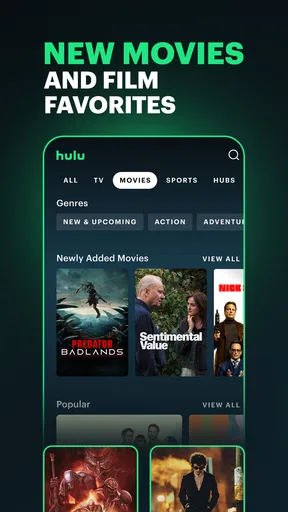


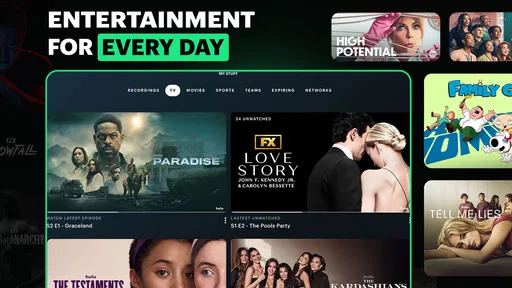
Our Review of Hulu: Stream TV shows & movies
 Analysis by Appyee
I think Hulu makes the most sense when you want a familiar place to keep up with television, rather than an app that is only for films or only for live programming. It is an entertainment app from Disney, and its appeal is the mix: browse series and movies, follow episodes as they become available, and consider live sports as part of the same viewing routine. That combination can be useful, but it does not automatically make Hulu the right choice for every household.
Where Hulu fits in a streaming routine
The app is free to install, but watching is tied to the subscription options available to you. That distinction matters: downloading it is a low-commitment way to look around, while deciding whether to pay depends on the shows, films, and viewing options you actually expect to use. I would start by checking whether the titles you care about are in Hulu’s catalog before treating it as a replacement for another service.
Hulu has been around since 2011, and the current Android release is 6.20.0+14228901-google. Those details are useful context, not proof that every screen or feature will feel familiar across devices. The app has a 4.4 average from around 1.5 million ratings, and it has passed 100 million installs. That scale suggests it is a well-established option, but popularity alone will not tell you whether its library suits your taste.
Its Teen content rating is also worth keeping in mind if you are choosing something for a shared screen. I would treat the rating as a broad audience guide, not as a substitute for checking an individual title before younger viewers start watching. In a family setting, separate profiles can make browsing feel more personal, though they do not remove the need to choose age-appropriate shows deliberately.
Choosing what to watch without wasting the evening
A practical way to use Hulu is to keep a short list of shows you want to follow, then use search when you know what you are looking for and browsing when you do not. Search by actor can be more helpful than it first sounds: if a performer catches your eye in one series, looking up their other work gives you a focused route through a broad catalog instead of scrolling through rows at random.
I also find that separating “something I want to watch soon” from “something I might try later” makes a streaming app less overwhelming. A watchlist is useful for that, especially when different people use profiles. It helps preserve each person’s choices rather than turning one shared queue into a jumble. The trade-off is that a saved title is only a reminder; it is still worth checking that the show or film is available when you are ready to press play.
For a realistic weeknight, imagine getting home late and wanting one episode without committing to a new movie. Hulu’s emphasis on series makes that a natural use: search for the show, check its available episodes, and continue where your viewing left off. On another evening, a live sports option may be more relevant than an on-demand title. The value is in being able to consider both kinds of viewing in one app, though the exact access you get depends on the plan you choose.
How it compares with other streaming choices
Compared with a service built mainly around films, Hulu is a stronger fit for viewers who want television to be part of their regular routine, particularly when keeping up with episodes matters to them. A platform focused on a single studio or franchise may be a better pick if nearly all your viewing revolves around that one catalog. Hulu’s broader mix is appealing when tastes vary, but no streaming library is universal, and adding services can become less sensible than choosing the one with the programs you genuinely watch.
It also sits between on-demand viewing and live programming in a way that can simplify a household’s app choices. If you only want to watch a particular sport or channel, compare the relevant live-TV option directly rather than assuming Hulu is automatically the best route. If you mainly watch downloaded films during travel, an app with the titles you prefer and a clear offline workflow may matter more than Hulu’s wider mix. The best comparison is not the biggest catalog; it is how often each service answers your actual “what should we put on?” question.
One useful decision is to try the app as a discovery tool before reorganizing your subscriptions. Search for a few specific shows, browse the genres you usually choose, and see whether the results match your habits. If you keep finding appealing options but rarely watch them, that is a sign to reconsider paying for another service. If you reliably return to it for current episodes or live viewing, it may earn a more regular place in your rotation.
Small habits that make the experience smoother
Before a commute or flight, check what you intend to watch while you still have a reliable connection. Hulu supports downloads, which can help avoid using mobile data during playback, but offline viewing is most useful when planned rather than treated as an emergency fix after you have already left home. I would also confirm that the episode or movie is actually available to save, then allow enough time for the download to finish before heading out.
When several people share a device, choosing the right profile before browsing is a small step that can keep recommendations and watchlists from becoming less relevant. If a title appears hard to find, try the exact title first, then search by an actor or browse its genre. That gives you a couple of routes to the same destination and is often quicker than repeatedly scrolling the home screen.
Streaming quality depends on the connection, so a smooth experience on home Wi-Fi is not a guarantee that playback will be equally steady on a crowded network or a weak mobile signal. If a stream struggles, checking the connection and adjusting quality to suit your data situation is more practical than assuming the app itself is broken. On mobile, deciding in advance whether you are willing to use cellular data can also prevent an episode from consuming more of your plan than you intended.
What to weigh before committing
Hulu’s main friction is that the app’s usefulness depends on the plan and the content access attached to it. The existence of different subscription choices, including ad-supported and ad-free experiences and a live-TV bundle, does not mean every viewer needs the same option. I would compare the kind of watching you do with the plan details presented when you sign up, especially if advertisements, live programming, or add-ons will affect your decision.
Premium network add-ons can make the catalog feel more tailored, but they also make it worth pausing before stacking services. If you only want one extra show, ask whether you will use the added selection beyond that title. A collection of add-ons may be convenient for a household with varied tastes; for a viewer who watches one series and little else, it may be harder to justify than a simpler setup.
Hulu is less compelling if you expect every series, film, or sporting event you want to be in one place, or if you strongly prefer a service dedicated to a particular catalog. It may also be a poor fit if you rarely watch television and would rather pay only for occasional rentals or use a service whose library better matches your narrow interests. I would not choose it simply because it is popular; I would choose it when its mix lines up with the way I watch.
For viewers who want a flexible entertainment app and regularly move between series, movies, and live sports, Hulu is worth exploring. Its large audience—reflected in roughly 227,000 reviews as well as its rating and install reach—shows how established it is, but the final test is personal: are the titles and viewing options you want there when you open it? I would begin with a few searches, check which subscription arrangement fits, and decide from actual viewing needs rather than the promise of having everything in one place.
Getting Started with Hulu
Jumping into Hulu was pretty straightforward. The app is available on both Android and iOS, so downloading and installing it was a breeze. Once I got it up and running, I was greeted with a neat and user-friendly interface. The sign-up process was simple, and if you’re like me and hate filling out long forms, you’ll appreciate how quick it is to get started. Plus, if you already have an account, logging in is a piece of cake.
Exploring the Content Library
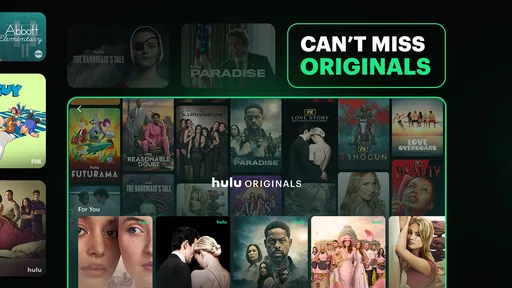
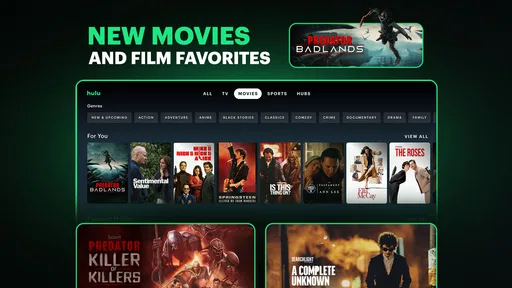
Now, let’s talk about the juicy part – the content! Hulu offers a diverse range of shows and movies. From the latest episodes of popular TV series to classic films, there's something for everyone. I was particularly impressed with the variety of genres. Whether you’re into comedies, dramas, or thrillers, Hulu has got your back.
One thing that stood out to me was the timeliness of the content. Many shows are available shortly after they air, which is perfect for those of us who can’t wait to catch up with the latest episodes. It’s like having a virtual DVR right in your pocket!
User Experience and Interface
The app’s layout is sleek and intuitive. Navigating through different sections was smooth, and finding my favorite shows didn’t take long. The search function is pretty efficient too. You can search by title, genre, or even by actors, which is super handy if you're in the mood for something specific.
Another cool feature is the ability to create multiple profiles. This is great if you share your account with family or friends. Each profile can have its own recommendations and watchlist, making it a personalized experience for everyone involved.
Video Quality and Streaming
For those who care about video quality, Hulu doesn’t disappoint. The streaming quality is top-notch, provided you have a decent internet connection. I didn’t encounter any buffering issues, which is a huge plus. You can also adjust the video quality based on your data preferences, which is a thoughtful touch for those who are mindful of their data usage.
Additional Features Worth Mentioning
Hulu also offers some neat additional features that enhance the overall experience. For instance, the app supports offline downloads, so you can watch your favorite shows on the go without burning through your mobile data. This is perfect for those long commutes or flights where Wi-Fi isn’t available.
There’s also an option to add premium networks like HBO, Showtime, and Cinemax as add-ons. This increases the variety of content available and makes Hulu a one-stop-shop for all your entertainment needs.
Subscription Plans
When it comes to subscription options, Hulu provides flexibility. You can choose from several plans, including an ad-supported version, an ad-free experience, and even a bundle with live TV. Each plan is priced differently, catering to various viewing preferences and budgets.
In summary, Hulu is a solid choice for anyone looking to dive into the world of streaming. Its vast library of shows and movies, user-friendly interface, and additional features make it a standout app in the crowded streaming market. Whether you're a casual viewer or a series binger, Hulu has something to offer. So, why not give it a shot and see what all the fuss is about?
Privacy and Permissions
See what permissions an app requests and how it handles your data.
- Location
- approximate location (network-based), precise location (GPS and network-based)
- Wi-Fi connection information
- view Wi-Fi connections
- Other
- view network connections, full network access, run at startup, prevent device from sleeping
Verdict
Strengths of Hulu: Stream TV shows & movies
- Extensive library of TV shows and movies.
- Offers live TV streaming options.
- User-friendly interface design.
- Personalized recommendations feature.
- Supports multiple profiles for family use.
Limitations of Hulu: Stream TV shows & movies
- Frequent ads in lower-tier plans.
- Limited offline download capabilities.
- Some shows have delayed availability.
- Higher-tier plans can be expensive.
- Occasional buffering issues reported.
Other Releases by Disney
View All
Disney+
Entertainment4.4

ESPN
Sports4.5

My Disney Experience
Travel & Local4.5

ESPN Fantasy Sports
Sports4.6
Similar Picks in This Category
View All
Google Play Games
Google LLC3.9

Netflix
Netflix, Inc.4.8

YouTube Kids
Google LLC4.2
Disney+
Disney4.4

Prime Video
Amazon Mobile LLC4.7

Steam
Valve Corporation3.2
Frequently Asked Questions
What is Hulu and what content does it offer?
Hulu is a streaming service that provides a vast library of TV shows, movies, and original content. Subscribers can access popular series, films, documentaries, and Hulu Originals. The service offers current season content from major networks, making it ideal for those who want to stay up-to-date with their favorite shows.
What subscription plans does Hulu offer and what are the differences?
Hulu offers several subscription plans: the basic plan with ads, the no-ads plan, and Hulu + Live TV. The basic plan is more affordable but includes commercials, while the no-ads plan provides an uninterrupted viewing experience. Hulu + Live TV includes live broadcasts of channels, combining traditional TV with streaming.
Is Hulu available internationally or only in the United States?
As of now, Hulu is primarily available in the United States and Japan. Viewers in other countries may need to use a VPN to access the service, although this is against Hulu's terms of service. Hulu has expressed interest in expanding to other markets in the future, but no official dates have been announced.
Can I download content from Hulu for offline viewing?
Yes, Hulu allows users on its no-ads plan to download content for offline viewing. This feature is available on supported devices like smartphones and tablets. Note that not all content is available for download, and there are restrictions on how long downloads remain accessible offline.
How does Hulu's content library compare to other streaming services like Netflix or Amazon Prime Video?
Hulu's content library is unique in that it offers current TV shows shortly after they air, which is a major advantage over Netflix and Amazon Prime Video. However, the movie selection may be more limited compared to its competitors. Hulu's live TV option also adds value, making it a strong choice for those seeking a blend of new and traditional content.
